
Practical Ways To Keep Your Phone Safe
Protect your smartphone with practical phone safety tips, including strong passwords, backups, theft protection, software updates, and secure Wi-Fi habits.

Your phone now holds most of your life. Bank accounts, personal photos, work emails and government logins all sit in your pocket. If you lose control of that device, financial harm and identity theft can follow in hours, not weeks.
Below are nine high impact steps you can finish in about 30 minutes. They focus on what actually works for people in Australia, using local rules and tools so you can secure and recover your device when something goes wrong.
Add Physical Protection That Prevents Common Breakage
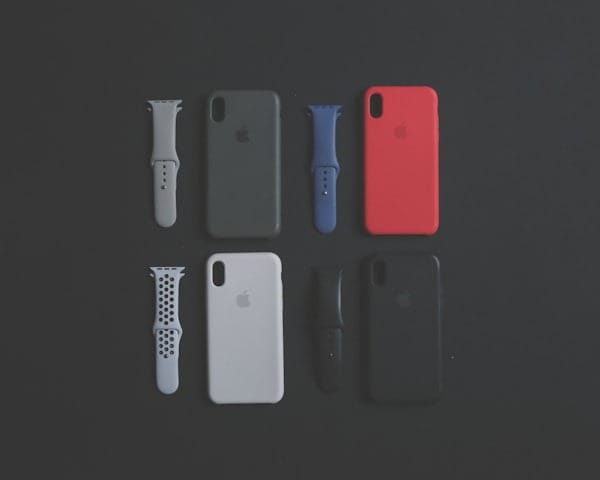
Most screens crack on corner or face down drops, and a good case with tempered glass can prevent common damage.
What to Look For
- Raised bezels to protect screen and camera against flat drops.
- Corner impact absorption for diagonal impacts.
- Quality tempered glass with full adhesive.
For daily drops and knocks, pairing your phone with a snug, well-designed case and a quality glass protector prevents many repairs. Look for options that fit tightly without adding bulk, and avoid flimsy bargain cases that crack or peel after a few weeks. If you have a newer iPhone, grab a precisely fitted iPhone 17 cover with corner protection and raised bezels. Replace cracked glass protectors quickly, because they are meant to break so the display does not.
Turn On Automatic Updates
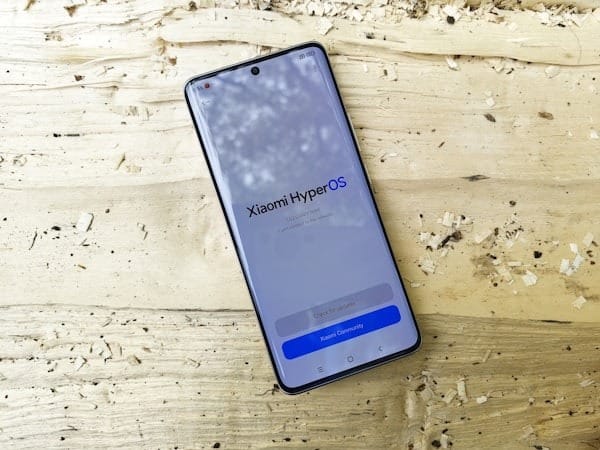
Automatic updates quietly fix the exact bugs attackers exploit, and turning them on takes seconds. If you worry about data use or interruptions, set updates to download on Wi-Fi and install overnight while you sleep.
How to Do It
- On iPhone, open Settings, then General, Software Update and Automatic Updates. Enable both download and install.
- On Android, open Settings, then Security and privacy, then Updates. Turn on automatic system updates.
- In your app store settings, enable automatic app updates as well.
Plan to retire devices that no longer receive operating system updates. Older phones without current patches are much easier targets.
Use a Stronger Screen Lock and Theft Protections
A longer passcode and biometrics make a stolen phone far less useful to thieves and protect your data if it disappears.
Choose a Better Passcode
- On iPhone, in Settings, open Face ID and Passcode, then switch to a custom alphanumeric code.
- On Android, use a strong PIN instead of a simple pattern, and avoid any numbers linked to birthdays or anniversaries.
Enable Theft Protection Features
On iPhone with iOS 17.3 or later, enable Stolen Device Protection. This feature requires Face ID for sensitive actions and adds a Security Delay when you are away from familiar locations.
On Android 15 devices, turn on Identity Check prompts so the phone asks for biometrics when you are outside your trusted places.
Lock Down Critical Accounts
Even if a password leaks, multi factor authentication, the extra code or prompt after your password, blocks most unauthorised logins.
Prioritise the Right Accounts
- Protect your email inbox first, because it can reset passwords for almost every other service.
- Secure banking, myGov, Apple ID or Google Account, and superannuation.
Choose Stronger Factors
Prefer an authenticator app or hardware security key over SMS codes, since SMS can be intercepted if criminals hijack your number. Use long, unique passphrases of at least 15 characters, using four random words that you can remember but attackers cannot guess.
Turn On Find Features and Practise Using Them
You can only locate or wipe a phone you have set up in advance, so switch these features on before anything goes wrong.
Setup Steps
- On iPhone, open Settings, tap your name, then Find My, then Find My iPhone. Enable Find My network and Send Last Location.
- On Android, open Settings, then Google, then Find My Device. Make sure location services are on.
Test locating your device from another phone or a browser today. Understanding location tracking features can help you respond quickly in emergencies and give you peace of mind even when your phone is lost. Know how to trigger Lost Mode or Secure Device quickly under pressure.
Back Up So You Can Actually Restore
If your phone disappears or fails, you only get your data back if you have a current backup. Turn on cloud backups and confirm that photos, messages and important app data are included.
iPhone Setup
Go to Settings, tap your name, then iCloud and iCloud Backup, and turn it on. Charge and connect to Wi-Fi until the first backup finishes.
Android Setup
Go to Settings, tap Google, then Backup, and enable Backup by Google One. Verify photo backup through Google Photos. Set a quarterly reminder to check your backups and do a small test restore.
Stop SIM-Swap Takeovers Before They Start
Set a SIM PIN so your SIM card cannot be used in another phone without the correct code.
Provider Protections
Call your telco and add a strong account PIN. Ask for extra identity checks before any SIM swap, where your number moves to a new SIM, or port out. These stronger checks helped cut reported mobile number fraud by nearly 70 percent between 2021 and 2023.
Tame App Permissions
Regularly review which apps can see your location, contacts, photos and microphone, then remove anything that does not make sense.
- On iPhone, open Settings, then Privacy and Security, then App Privacy Report.
- On Android, open Settings, then Privacy, then Permission manager.
Make sure Google Play Protect is on, and avoid sideloading apps from websites or stores you do not trust.
Use Public Networks Safely
Open Wi-Fi networks can be abused by attackers, so always check the network name and prefer your mobile hotspot for sensitive logins.
Disable auto join for public networks and forget them after use. If you must use public Wi-Fi, choose a secure messenger. Avoid public USB charging ports and use your own charger and cable.
Break-Glass Plan If Your Phone Goes Missing
When your phone vanishes, every minute counts. Act quickly to reduce damage.
- Attempt to locate and lock the device using Lost Mode or Secure Device.
- Call your provider to bar the SIM and request an IMEI block.
- Change passwords for email and banking, and review recent logins.
- File a police report with the IMEI for insurance purposes.
Find your phone's IMEI in Settings today and store it somewhere safe so you can quote it even if the device is gone.
Wrap Up and Next Steps
You now have layered protections in place that work together. If one control fails, the others still block most common attacks. Set a quarterly reminder to check backups and permissions, and share these steps with family so the people you care about stay safer too.
FAQs
These quick answers cover common questions about phone safety.
Should I Use SMS Codes for Multifactor Authentication?
Use an authenticator app or security key when that option exists. SMS works, but it can be weaker if your number is hijacked.
What If I Cannot Find Stolen Device Protection on My Phone?
Stolen Device Protection needs iOS 17.3 or later, so update your iPhone to the latest version.
Is a VPN Necessary on Public Wi-Fi?
Prefer your mobile hotspot for sensitive tasks like banking. If you must use public Wi-Fi, a reputable VPN helps protect your traffic from snooping.
How Do I Check If a Second-Hand Phone Is Blocked?
Ask the seller for the IMEI and contact a provider to confirm whether it sits on the national blocklist before you buy.